

User guide
General pipeline
The webserver processes an input PDB structure (currently limited to monomers) and generates 10,000 synthetic protein analog sequences using ProteinMPNN. These sequences are then filtered according to solubility criteria, confidence of 3d fold prediction and aggregation filters (Aggrescan 3D). The final output is a curated list of high-quality protein structures and sequences suitable for expression and purification for further experimental testing. Additionally, SPASE provides the option to conserve specific amino acid positions critical for function by fixing them during the generation of sequence analogs.
The PDB file submitted must be in standard pdb format readable by pymol v2.5.0.

Any additional headers or non-standard formatting will result in a failed run (in which case you may receive only a partially completed data package).

Standard legacy pdb file format headers are acceptable.
Gaps in protein sequences are typically handled by pdbfixer but in some cases this can cause bugs if pdbfixer is unable to repair.

!!!It is always best to handle sequence gaps on your end before submitting to SPASE!!!

Example PDB file format (full SPASE compatibility):
ATOM      1  N   LYS A   1       3.336  10.074  10.331  1.00 13.37           N
ATOM      2  CA  LYS A   1       2.429  10.424   9.199  1.00 14.29           C
ATOM      3  C   LYS A   1       2.415  11.932   8.954  1.00 14.29           C
ATOM      4  O   LYS A   1       2.390  12.719   9.904  1.00 13.66           O
ATOM      5  CB  LYS A   1       1.000   9.944   9.506  1.00 15.13           C
ATOM      6  CG  LYS A   1      -0.038  10.444   8.543  1.00 16.82           C
ATOM      7  CD ALYS A   1      -1.418   9.911   8.867  0.45 17.79           C
ATOM      8  CD BLYS A   1      -1.427   9.945   8.931  0.55 17.16           C
ATOM      9  CE ALYS A   1      -2.457  10.562   7.967  0.45 18.84           C
ATOM     10  CE BLYS A   1      -2.516  10.672   8.152  0.55 18.12           C
Complete legacy pdb file format (Compatible with SPASE): Example PDB
Input
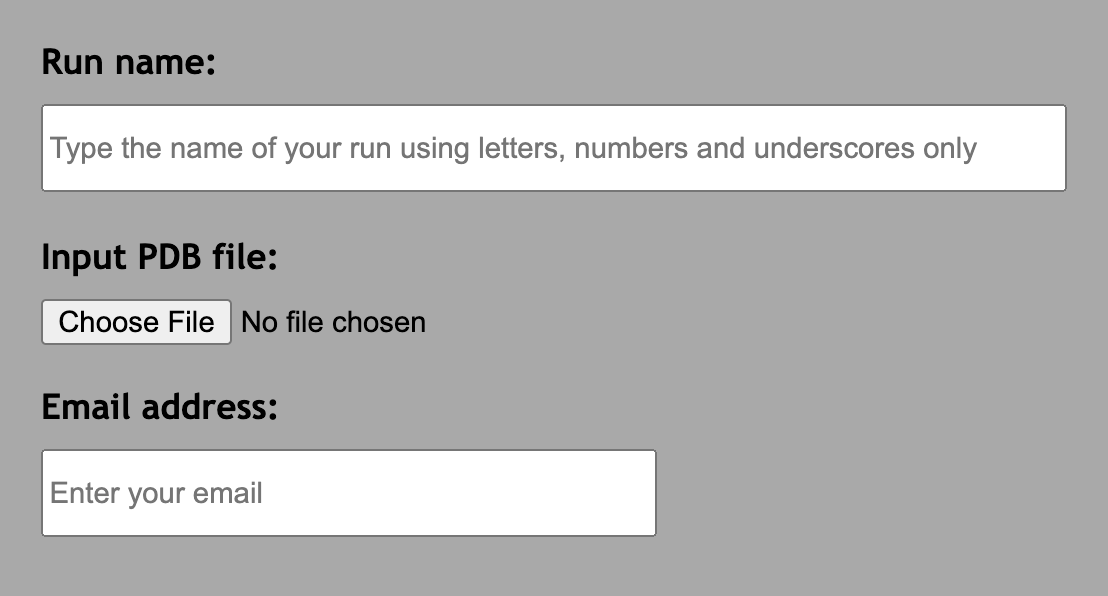
Run name: Name of your run. Only letters, numbers, dashes and underscores are accepted
Input PDB file: Structure file for your reference protein. It needs to be in .pdb format.
Email address: Enter your email address where you want to recieve the results.
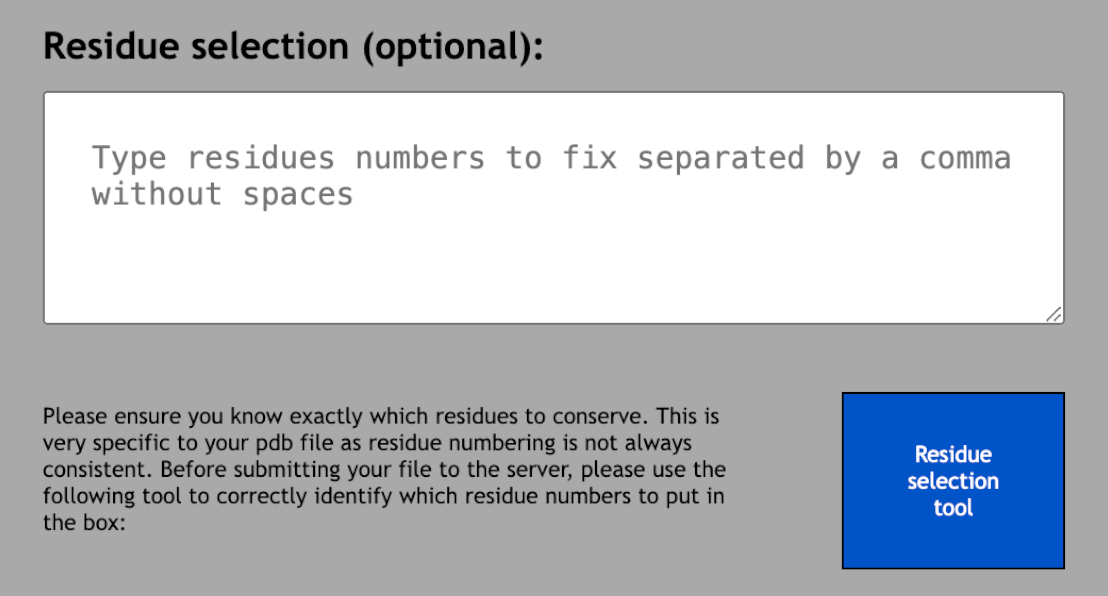
Residue selection (optional): Select the residues you want to fix so that they do not change during protein generation. All of the residues that are not listed in this box might be mutated in the output sequences. Separate the residue numbers by a comma without spaces.
Important! Residue numbering are not always consistent because some pdb files might introduce gaps in the sequence. Make sure that you select the right residues to fix by using the residue selection tool. Both SPASE and the residue selection tool will preprocess the pdb using PDBFixer. Please read the PDBFixer section as it may affect the input structure.
PDBFixer: SPASE uses PDBFixer during preprocessing to standardize submitted PDB structures. This includes replacing non-standard residues with standard amino acid equivalents, modeling missing residues, and adding hydrogen atoms according to protonation states predicted at pH 7.4. These corrections may introduce minor changes to the original structure. We therefore recommend reviewing the processed PDB file in the output pdb folder to ensure that critical regions remain consistent with the intended design.
Output
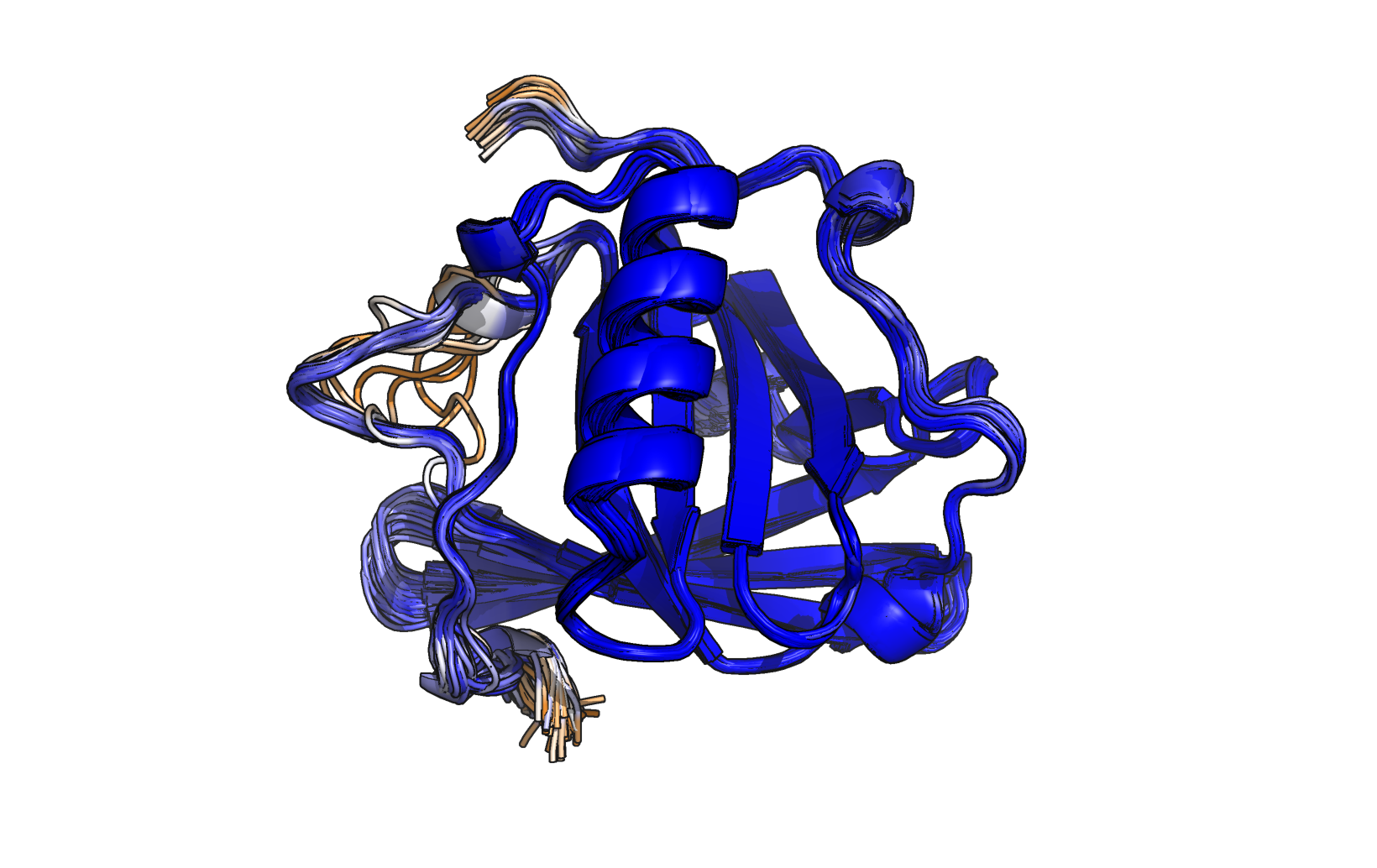
Output.png
Superposition of the predicted structures for the top 1% of candidates with the highest solubility scores. The corresponding structure file is named "out.pse". Orange indicates an ESM prediction score of 0.5 or below, while blue represents an ESM prediction score equal or above 0.9.
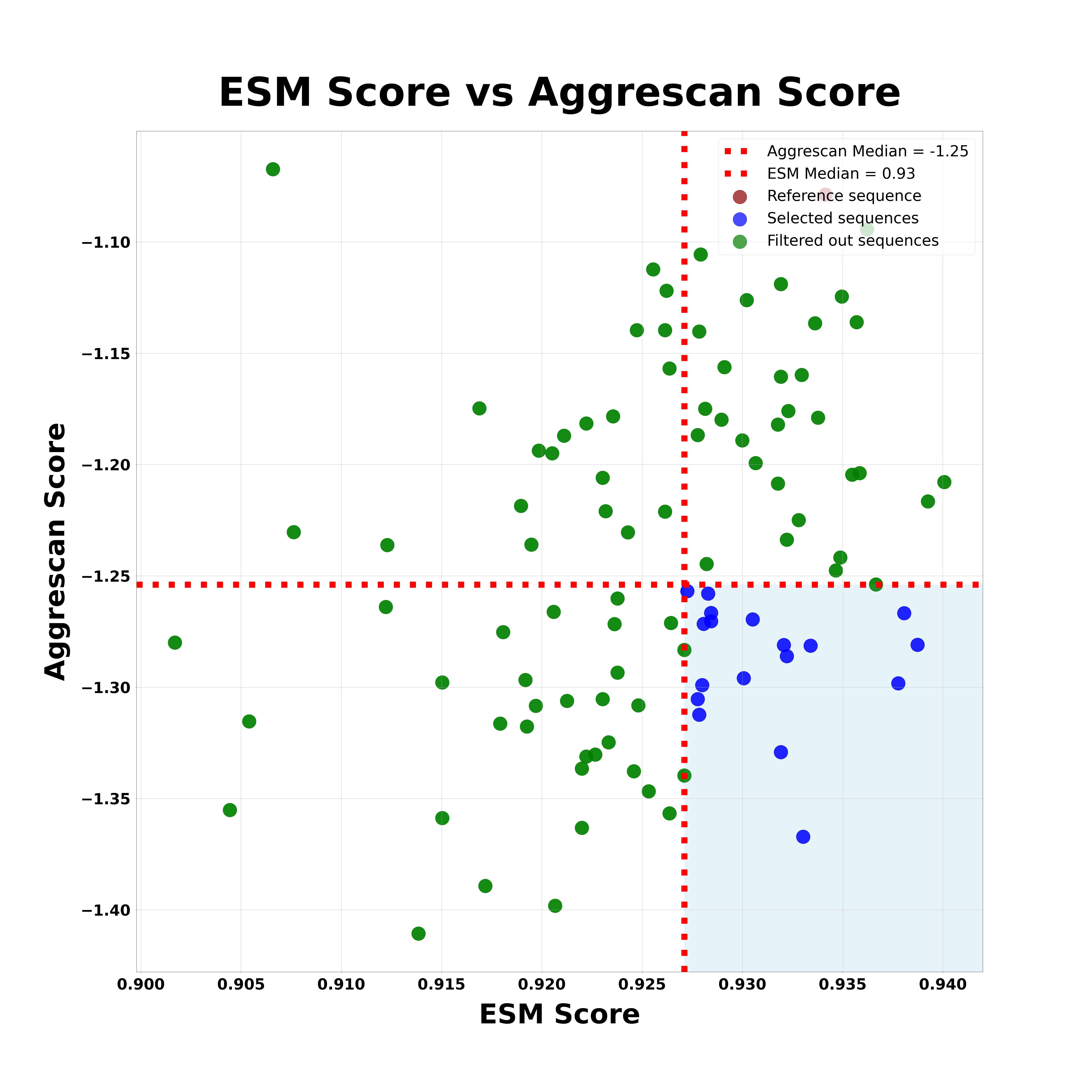
A3DvESM.png
Graph illustrating the top 1% solubility candidates, plotted with Aggrescan scores on the y-axis and ESMFold folding prediction scores on the x-axis. Higher folding prediction score indicates better folding reliability, while a lower Aggrescan score reflects reduced aggregation propensity. Red dashed lines mark the medians for both scores. The bottom-right quadrant highlights the selected candidates, representing those with optimal solubility, folding, and aggregation characteristics.
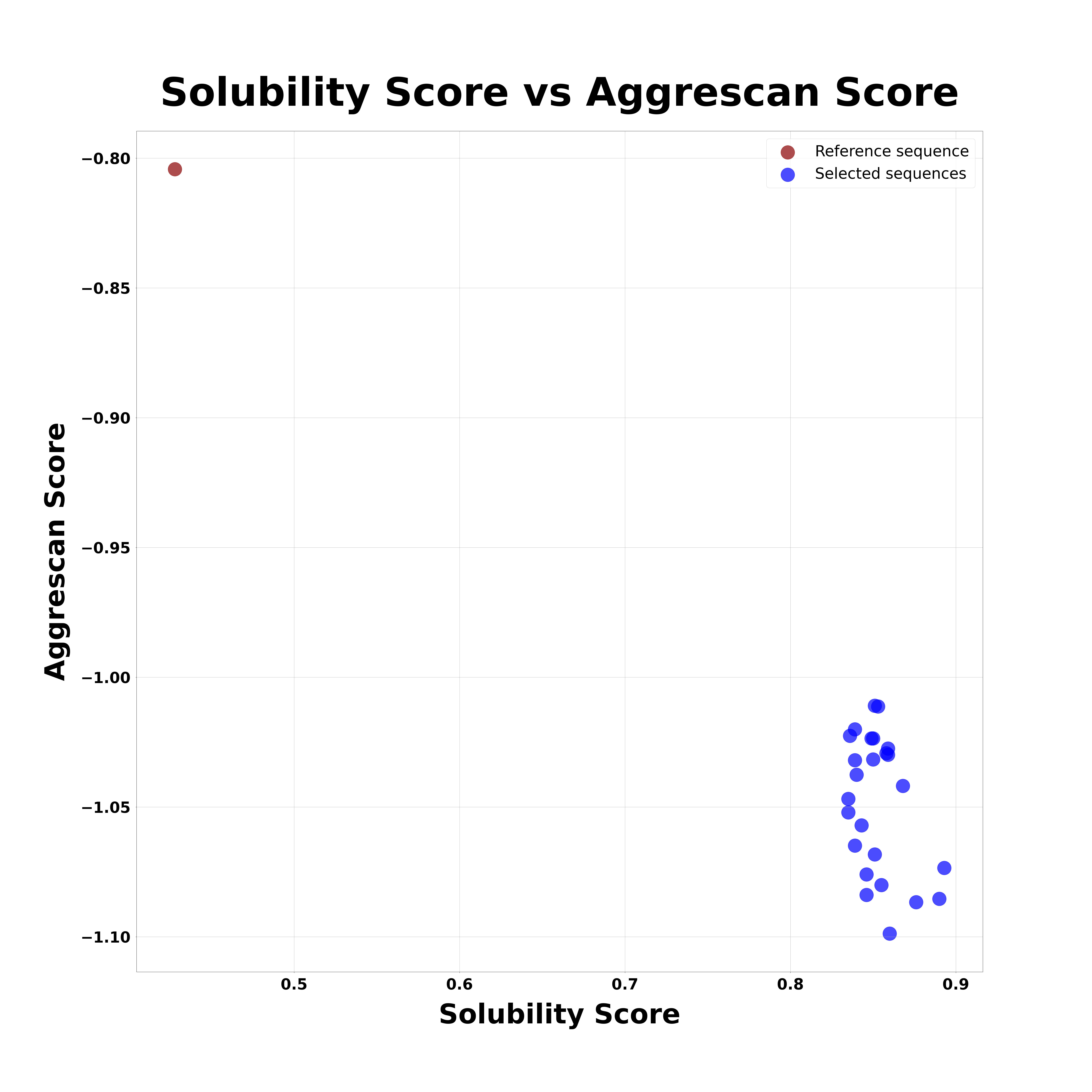
final_sequences.png
Graph generated using the bottom-right candidates shown in the "A3DvESM.png" graph. This new plot displays the Aggrescan score on the y-axis against the solubility score on the x-axis. Higher solubility score indicates better theoretical solubility, while a lower Aggrescan score reflects reduced aggregation propensity.
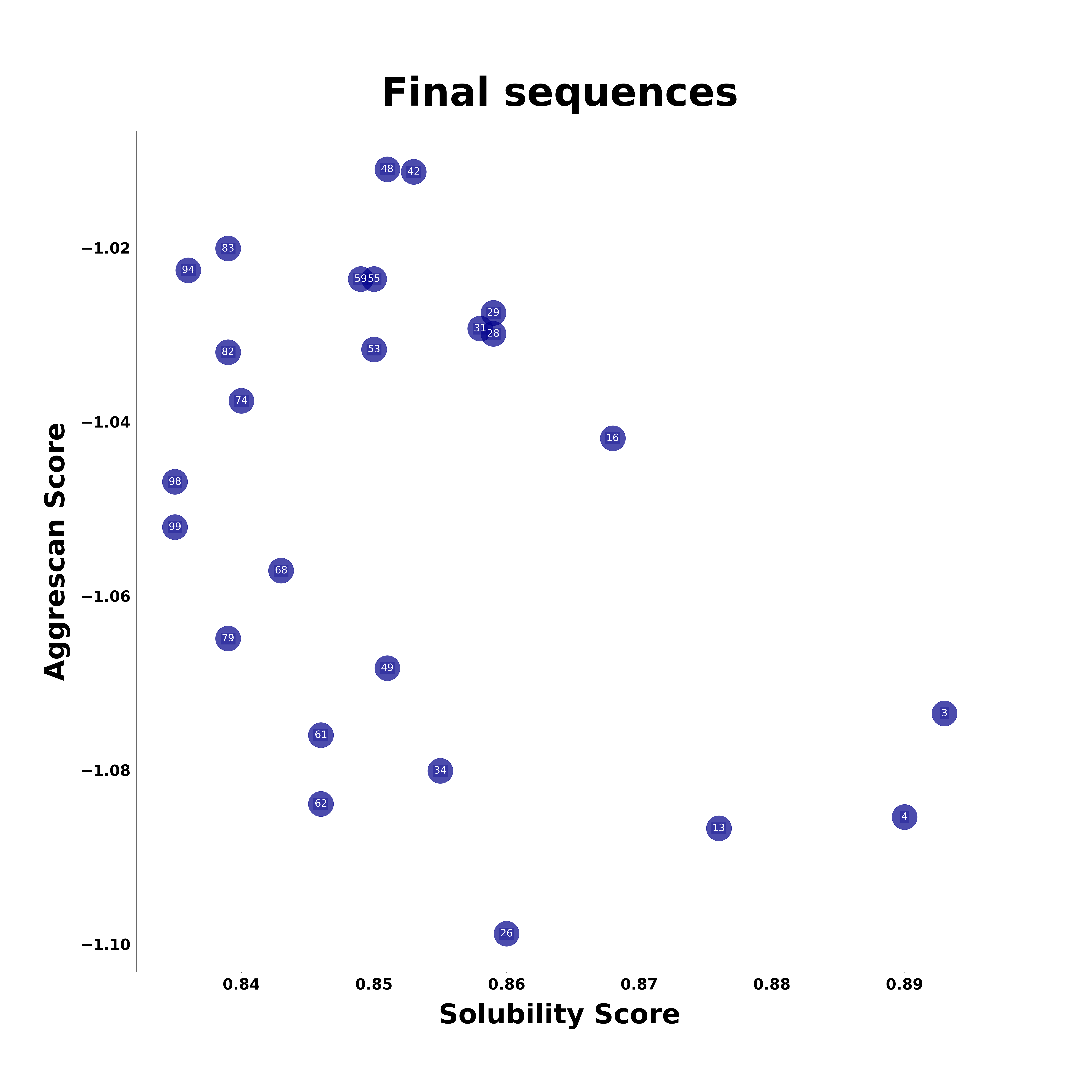
final_sequences_2.png
A graph similar to the one in final_sequences.png, but without displaying the reference sequence. The sequence names are shown on the data points for easier identification.

aggrescan_data: Directory containing the Aggrescan analysis results for the top 1% of protein structures with the highest solubility.
email: File storing your email address, which was used to send the data.
final_sequences_sorted.txt: This file contains the final sequences selected by SPASE. They are sorted by Aggrescan score. Each entry includes, in order: sequence name, solubility score, ESMFold prediction score, Aggrescan score, predicted isoelectric point (pI), and amino acid sequence.
out.pse: PyMOL session file containing predicted structures for the top 1% of candidates with the highest solubility scores. The ESMFold prediction score is stored as the B-factor, with red indicating lower confidence in the folding prediction and blue representing higher confidence.
pdb_files: Directory containing PDB files of the predicted structures for the top candidates selected by SPASE, along with the 10 candidates with the best Aggrescan scores from the top 1% of solubility candidates.
scores: Directory storing Aggrescan and ESMFold scores for the top 1% of candidates with the highest solubility.
tmp: Temporary files generated during the analysis. This folder includes summary.txt, which is similar to final_sequences_sorted.txt but contains only the top 1% of solubility candidates.